Reflected XSS Protected by CSP with CSP Bypass
A PortSwigger XSS lab writeup about bypassing CSP by injecting a directive through a user-controlled report-uri value.
Introduction
This is the last XSS lab in PortSwigger, and it is titled Reflected XSS protected by CSP, with CSP bypass. The challenge consists of bypassing CSP and calling the alert function.
Recon
We have the usual blog post with the search bar, as shown in the following image.
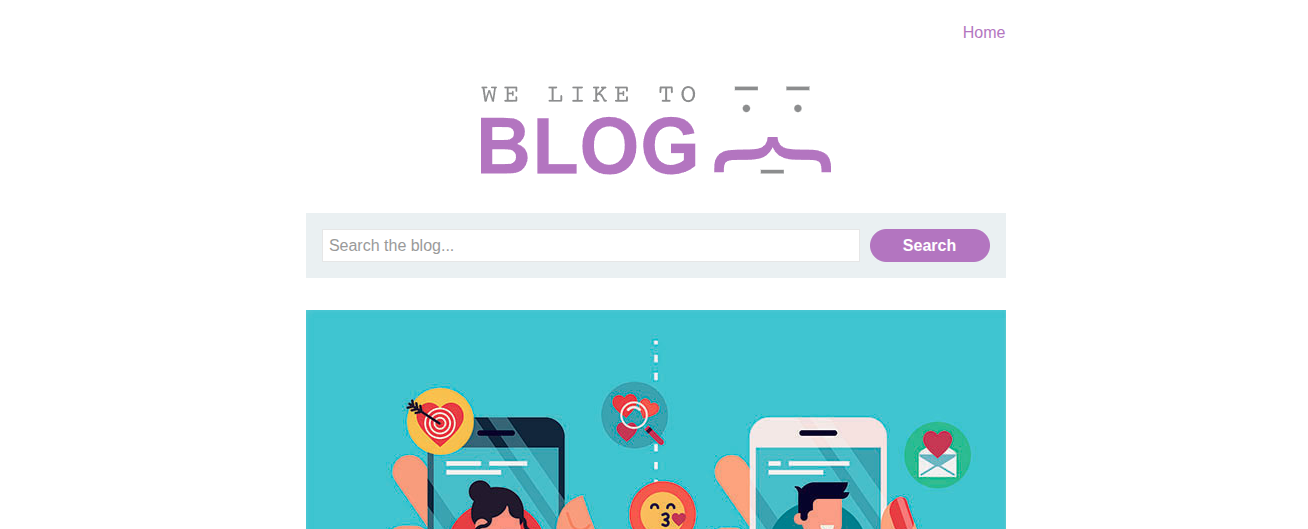
Since this is a reflected XSS problem, there is a high probability that the XSS exists in the search bar, since it is the only feature that reflects the user input on this website. So, let’s try our usual fuzzing.
We tried the payload <i> Hi </i>, and it worked as shown in the following image.
.png)
Let’s try to inject an inline script, <script> alert() </script>, to test the security policy.
After injecting it, we got the following error in the console.
1
Refused to execute inline script because it violates the following Content Security Policy directive: "script-src 'self'". Either the 'unsafe-inline' keyword, a hash ('sha256-Oc0JZoBx+qLHE967sm4aPf8Z7Yv1qFQyTyC1k6qF3ro='), or a nonce ('nonce-...') is required to enable inline execution.
So, as we can see, what we did was against the CSP. Let’s try to send a HEAD request to know more about the CSP.
1
content-security-policy: default-src 'self'; object-src 'none';script-src 'self'; style-src 'self'; report-uri /csp-report?token=
That report-uri/csp-report?token= seems a bit off. I have never seen it in any CSP. It may be a hint or even a path, so let’s try checking it.
If we check the endpoint /csp-report?token=, it takes us to a blank page and does not return a 404 response, which means that this page is valid and may be key to solving this lab, maybe by injecting a policy.
Vulnerability Discovery
If we go to the page csp-report?token=hi and check the CSP again via a HEAD request, we get:
1
content-security-policy: default-src 'self'; object-src 'none';script-src 'self'; style-src 'self'; report-uri /csp-report?token=hi
This means that the CSP is user-controlled, and thus we can add a new policy that allows us to execute JS code.
If we add only ?token=sss to the origin and try to get the CSP, we get the following:
1
content-security-policy: default-src 'self'; object-src 'none';script-src 'self'; style-src 'self'; report-uri /csp-report?token=sss
So, all we have to do now is inject a new policy that allows us to execute JavaScript.
Exploitation
The exploitation depends on how much you know about different CSPs. After a lot of research, I stumbled upon a policy that I had never seen, even on https://content-security-policy.com/, which is script-src-elem. It is a directive that overrides the script-src directive; it has a higher priority than it. We could not inject another script-src: ‘unsafe-inline’ because it will intersect with 'self' and cancel any JavaScript on the webpage. It will not make a union because they are in separate fields, so it will be {'self'} ∩ {'unsafe-inline'} = {}.
Using the directive script-src-elem: ‘unsafe-inline’ is a better solution since it wins over script-src. Basically, the chain is like this:
1
script-src-elem -> script-src -> default-src
This directive is relatively new; it was introduced in the CSP Level 3 draft.
So basically, if we go to the URL ?search=<script>alert%28%29<%2Fscript>&token=;script-src-elem%20%27unsafe-inline%27, we get the alert that we are looking for, and thus the lab is solved.
.png)
Conclusion
That was a great lab. Surely, it is not a real-world example. It is more CTF-like, but it was great to know more about CSP.