Scavenger Hunt Writeup PicoCTF
A writeup for the picoCTF easy web challenge named Scavenger Hunt.
Introduction
This is another PicoCTF easy web challenge titled Scavenger Hunt. It has the following description:
There is some interesting information hidden around this site. Can you find it?
Recon
Since this is about hidden information, I think this challenge is more recon-based than exploitation-based, like all easy web PicoCTF challenges. So, let’s check it first.
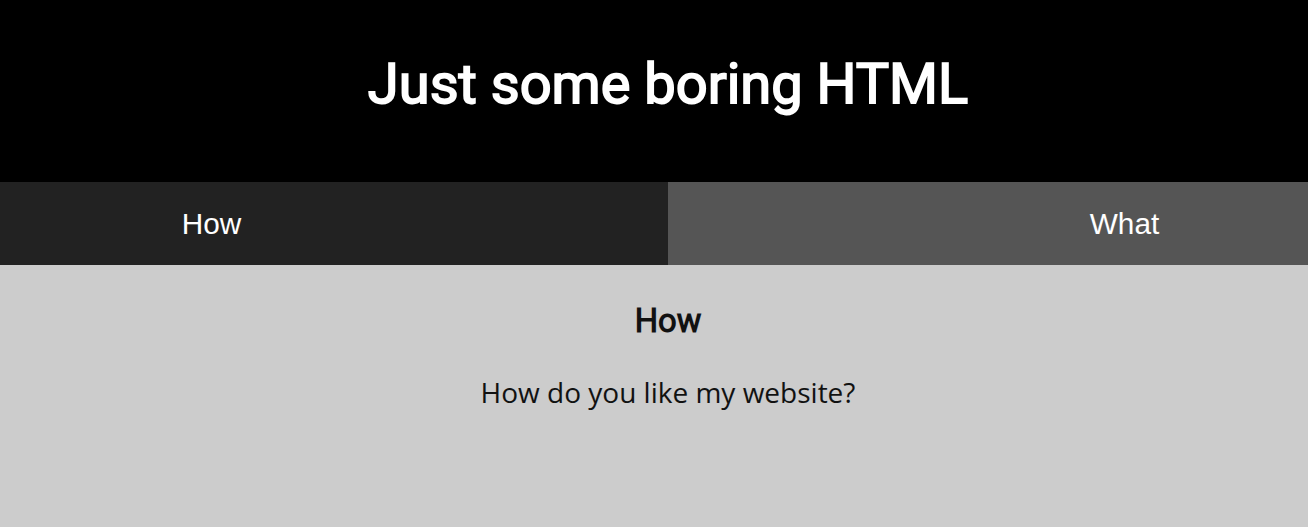
We have the following page, which consists of two simple buttons. Each one shows text: one about how we like the website, and the other about the tech stack of the website (HTML, CSS, and JS), as shown in the following images.
.png)
Page Code Source
When we check the code source of the page, we find the following HTML comment:
1
<!-- Here's the first part of the flag: picoCTF{t -->
When we check the CSS page in /mycss.css, we find part two of the flag, which is h4ts_4_l0.
When we check the comments in the /myjs.js file, we find the following comment: /* How can I keep Google from indexing my website? */. This implies that the rest of the flag is in robots.txt, since that file is used by search engines like Google to index the website.
Robots.txt
When we check the robots.txt page, we find part three of the flag, which is t_0f_pl4c, and we have the comment saying # I think this is an apache server... can you Access the next flag?. Basically, I think that some known directories in Apache servers can help us.
Directory Scanning and Brute Forcing
After using gobuster, as shown in the following command:
1
2
3
4
5
6
7
8
9
10
11
12
13
14
15
16
gobuster dir -u http://wily-courier.picoctf.net:56808/ -w /home/mohsen2/Downloads/common.txt
===============================================================
Gobuster v3.6
by OJ Reeves (@TheColonial) & Christian Mehlmauer (@firefart)
===============================================================
[+] Url:                     http://wily-courier.picoctf.net:56808/
[+] Method:                  GET
[+] Threads:                 10
[+] Wordlist:                /home/mohsen2/Downloads/common.txt
[+] Negative Status codes:   404
[+] User Agent:              gobuster/3.6
[+] Timeout:                 10s
===============================================================
Starting gobuster in directory enumeration mode
===============================================================
/.htaccess            (Status: 200) [Size: 96]
We access /.htaccess and find part four of the flag, which is 3s_2_lO0k, and we get another comment saying # I love making websites on my Mac, I can Store a lot of information there.
.DS_Store
After some research about websites hosted on macOS, I found that there is an interesting file named /.DS_Store, which is a hidden file created automatically by macOS Finder in every folder we open. It stores display preferences. It is useless, but it is a great way for recon, and since this website is stored or hosted on Mac, we can check this file. Indeed, we found the last piece of the flag: Congrats! You’ve completed the scavenger hunt! Part 5: FindYourOwn}
Conclusion
We solved the challenge successfully. Personally, I did not like it. It was more about hints and guessing rather than exploitation. As I said, it was recon-based.